
Facebook Instagram Linkedin Twitter
Sign in
  • Home
  • LATEST NEWS
    • COMMON ENTRANCE
    • WAEC
    • NECO
    • NABTEB
    • JAMB
    • POST-UTME
    • JUPEB
    • DIRECT ENTRY
    • ADMISSION FORMS
    • ADMISSION REQUIREMENTS
    • ADMISSION LISTS
    • CLEARANCES & REGISTRATIONS
    • EXAMINATIONS
    • TUITION / SCHOOL FEES
    • ACADEMIC CALENDARS
    • RESUMPTION DATES
    • RESULTS
    • MATRICULATION CEREMONIES
    • CONVOCATION CEREMONIES
  • SCHOOL-INFO
    • PRESCHOOLS
    • PRIMARY SCHOOLS
      • PRIVATE PRIMARY SCHOOLS
      • PUBLIC PRIMARY SCHOOLS
    • SECONDARY SCHOOLS
      • PRIVATE SECONDARY SCHOOLS
      • PUBLIC SECONDARY SCHOOLS
    • FEDERAL GOVERNMENT UNITY COLLEGES
    • MILITARY SCHOOLS
    • NURSING SCHOOLS
    • COLLEGES OF EDUCATION
      • FEDERAL COLLEGES OF EDUCATION
      • STATE COLLEGES OF EDUCATION
      • PRIVATE COLLEGES OF EDUCATION
    • MONOTECHNICS
      • FEDERAL MONOTECHNICS
      • STATE MONOTECHNICS
      • PRIVATE MONOTECHNICS
    • POLYTECHNICS
      • FEDERAL POLYTECHNICS
      • STATE POLYTECHNICS
      • PRIVATE POLYTECHNICS
    • UNIVERSITIES
      • FEDERAL UNIVERSITIES
      • STATE UNIVERSITIES
      • PRIVATE UNIVERSITIES
  • OPPORTUNITIES
    • AWARDS
    • CONFERENCES
    • FELLOWSHIPS
    • GRANTS
    • INTERNSHIPS
    • VOLUNTEERING
    • JOBS
  • SCHOLARSHIPS
    • UNDERGRADUATE
    • MASTERS
    • PhD
    • POSTDOCTORAL
    • ONLINE COURSES & PROGRAMS
    • SHORT COURSES & PROGRAMS
  • NYSC
Sign in
Welcome!Log into your account
Forgot your password?
Privacy Policy
Password recovery
Recover your password
Search
Sign in
Welcome! Log into your account
Forgot your password? Get help
Privacy Policy
Password recovery
Recover your password
A password will be e-mailed to you.
NAIJSCHOOLS
  • Home
  • LATEST NEWS
    • COMMON ENTRANCE
    • WAEC
    • NECO
    • NABTEB
    • JAMB
    • POST-UTME
    • JUPEB
    • DIRECT ENTRY
    • ADMISSION FORMS
    • ADMISSION REQUIREMENTS
    • ADMISSION LISTS
    • CLEARANCES & REGISTRATIONS
    • EXAMINATIONS
    • TUITION / SCHOOL FEES
    • ACADEMIC CALENDARS
    • RESUMPTION DATES
    • RESULTS
    • MATRICULATION CEREMONIES
    • CONVOCATION CEREMONIES
  • SCHOOL-INFO
    • PRESCHOOLS
    • PRIMARY SCHOOLS
      • PRIVATE PRIMARY SCHOOLS
      • PUBLIC PRIMARY SCHOOLS
    • SECONDARY SCHOOLS
      • PRIVATE SECONDARY SCHOOLS
      • PUBLIC SECONDARY SCHOOLS
    • FEDERAL GOVERNMENT UNITY COLLEGES
    • MILITARY SCHOOLS
    • NURSING SCHOOLS
    • COLLEGES OF EDUCATION
      • FEDERAL COLLEGES OF EDUCATION
      • STATE COLLEGES OF EDUCATION
      • PRIVATE COLLEGES OF EDUCATION
    • MONOTECHNICS
      • FEDERAL MONOTECHNICS
      • STATE MONOTECHNICS
      • PRIVATE MONOTECHNICS
    • POLYTECHNICS
      • FEDERAL POLYTECHNICS
      • STATE POLYTECHNICS
      • PRIVATE POLYTECHNICS
    • UNIVERSITIES
      • FEDERAL UNIVERSITIES
      • STATE UNIVERSITIES
      • PRIVATE UNIVERSITIES
  • OPPORTUNITIES
    • AWARDS
    • CONFERENCES
    • FELLOWSHIPS
    • GRANTS
    • INTERNSHIPS
    • VOLUNTEERING
    • JOBS
  • SCHOLARSHIPS
    • UNDERGRADUATE
    • MASTERS
    • PhD
    • POSTDOCTORAL
    • ONLINE COURSES & PROGRAMS
    • SHORT COURSES & PROGRAMS
  • NYSC

US Money Card Login @ https://login.usmoneycard.com/

August 12, 2022

USMoneyCard Login @ login.usmoneycard.com

If you are interested in managing your money on the US money card, this page will provide you with all the necessary information you need for the login process.
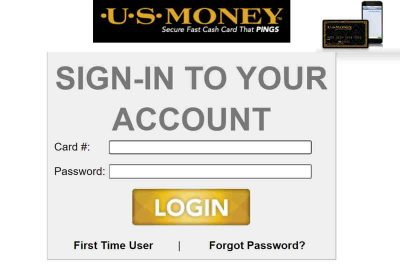
US Money Card Login @ https://login.usmoneycard.com/

Usmoneycard.com Login

To get access to your us money card, you will need to put in your details for login. However, for those who may be struggling with the login process, you will be provided with the steps below on how to log in to your usmoneycard.com;

  • The first thing you should do is to head over to your web browser
  • type in “login.usmoneycard.com” OR follow this link
  • once you are on the login page, type in your 16-digit card number
  • then type in your password (the default password is the 3-digit CVV number plus your 4-digit year of birth)
  • lastly, click on the LOGIN button

US Money Bank Login Requirements

Before you should think of logging into usmoneycard.com, you should make sure you have reached or attained all the requirements you will need. Moreover, this article is here to help you with what you will need before you start with the login process.

  • 16-digit card number

For you to login, you will need the 16-digit code on your card during the logging process. So, you will be asked on the login page, once you get the card number, all that you need is to type it in.

  • Password

For logging in to uscardmoney.com with your password for the first time or still as the default password. Here is how it is, the password on Usmoneycard.com in the combination of your 3-digit CVV number and your 4-digit year of birth

US Money Prepaid Card Desktop Web Sign In

if you have requested a prepaid card, you can as well use the website to log in. The login process for our money prepaid card is the same process as the Usmoneycard.com Login. Therefore, just scroll up and follow the steps to guide you on how to log in with your prepaid card.

US Money Card Mobile Web Login

Also, with only access to a mobile device, you can log in to your usmoneycard.com on the web. All that is required is to head over to any web browser and search for “login.usmoneycard.com”. After it takes you to the login site, put in your card number and password to log in.

Moneycard App

The us money card also provided users on mobile devices access through our mobile app. The app performs all the functions of the site, it helps manage your money, view transactions, and access your money at any time. Also, the us money card is free on both the app store and play store!!!

Moneycard Login App Requirements

Also, if you still need to use the mobile app to log in to your us money card account, you should make sure that you meet all the requirements. The following is a list of things you must need before you login on to your mobile device;

  • Firstly, download the us money card on your IOS or your Android device
  • Once you finish with the app installation
  • Open the app and tap on login
  • once you are on the login page, type in your 16-digit card number
  • then type in your password (the default password is the 3-digit CVV number plus your 4-digit year of birth)
  • Finally, tap on the LOGIN button

Moneycard Prepaid App Android Login

The us money card prepaid app offers a mobile app for users for both android and IOS devices. However for an android user, here are the steps you will need to log in;

  • Open the U.S money prepaid card
  • Tap on the login button
  • From there, put in your 16-digit card number
  • Next put in your password (i.e., your CVV number and your year of birth)
  • Tap on login to enter your account

Money Card App iOS Login

The same thing goes for your IOS devices it is pretty much the same steps as above. For IOS users just follow the steps above to log in to your usmoneycard

Conclusion

Lastly, With the above information provided, it is clear that the steps are self-explanatory. Just make sure you get all the requirements you need to login to your usmoneycard. However, if the above login process doesn’t work, it may be that you have forgotten your password or put an incorrect card number

Also, Check Out,

  • Card Management Online Login @ www.cardmanagementonline.com
  • Wheniwork.com Login @ https://login.wheniwork.com/
  • Getmydisneyvisa.com Invitation Number; Reviews and Application Process
  • TAGS
  • Card Login
  • U.S. Money
  • U.S. Money Card
Madago Emuobo

TOP POSTS

QUICK LINKS

TAGS

Academic Calendar Admission Form Amazon Art Courses Birthday Gift Commercial Courses Degree Courses Engineering Courses Ethnic Group in Nigeria Facebook Federal University Fun Places Gift Ideas Happy New Month JAMB Job Openings Joint Admission and Matriculation Board NABTEB nabteb.gov.ng National Board for Technical Education National Business and Technical Examination Board National Examination Council NBTE NECO net.nbte.gov.ng New Month Prayer Post UTME Form Private University Resumption Date Science Courses State University Subject combination Technology Courses Universities in Nigeria WAEC West Africa Examination Council West African Examination Council www.amazon.com www.facebook.com www.jamb.gov.ng www.mynecoexams.com www.neco.gov.ng www.waecdirect.org www.waecnigeria.org www.waeconline.org.ng
ABOUT US
Naijschools is a platform that provides quality, credible, and dependable information on current school news, educational trends, and various opportunities to help Nigerian Youths and Students in their careers. We are here to help You!
FOLLOW US
Facebook Instagram Linkedin Twitter
  • About Us
  • Contact Us
  • Disclaimer
  • Privacy Policy
© 2018 - 2025